A CRM and a client portal both organize customer information, but they serve different audiences.
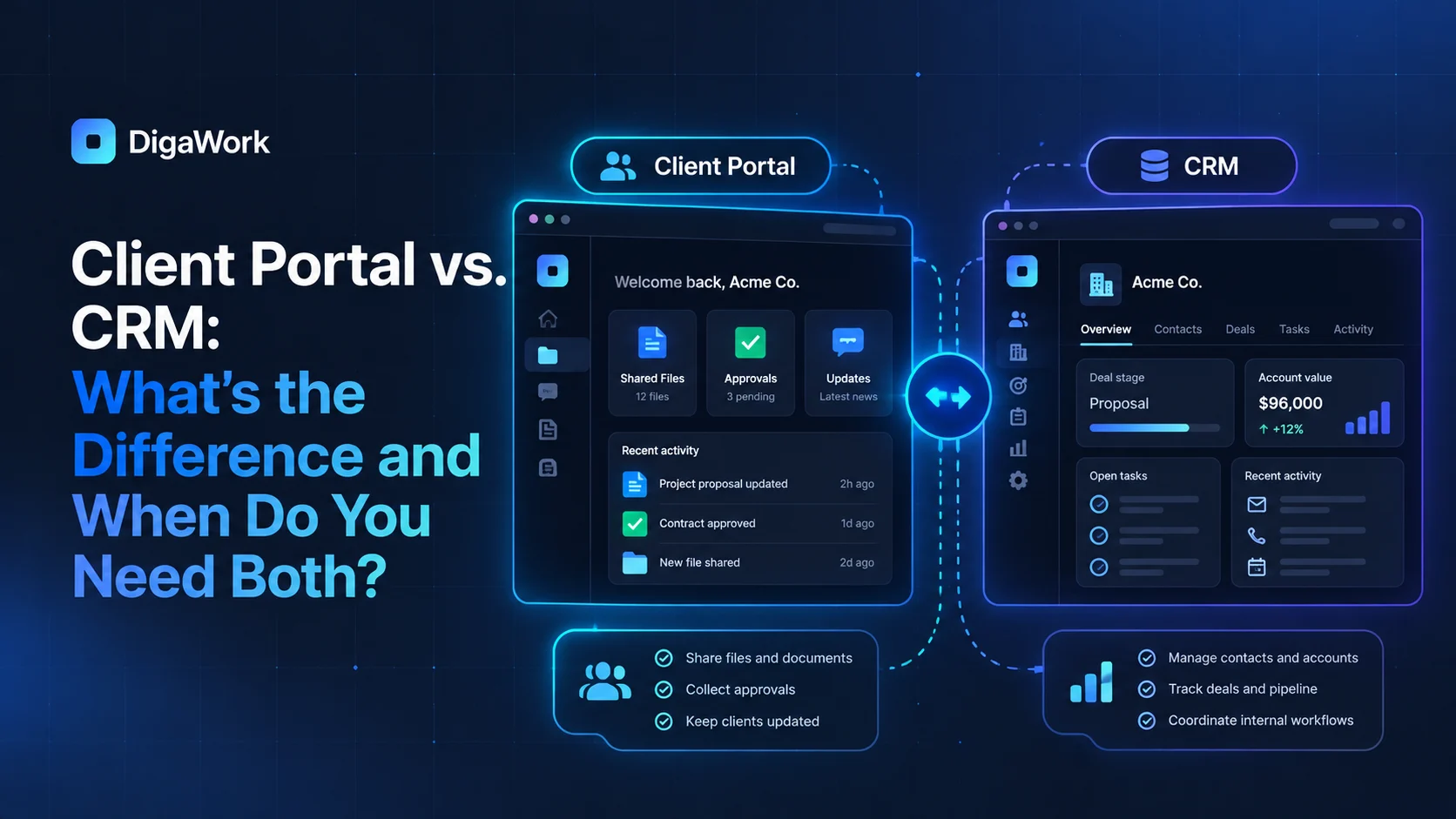
The CRM is primarily an internal system for managing the relationship and workflow. A client portal is a controlled customer-facing window into the information, documents, requests, approvals, or status the customer should be able to access.
What a CRM is responsible for
A CRM typically helps internal teams manage contacts, companies, opportunities, communication history, tasks, ownership, automation, and reporting. It answers internal questions such as who owns this customer, what happens next, and where the relationship stands.
What a client portal is responsible for
A client portal gives customers a structured way to access information without exposing the internal system. Depending on the business, that may include project status, documents, approvals, requests, appointments, invoices, service history, or shared files.
| Capability | CRM | Client Portal |
|---|---|---|
| Primary audience | Internal team | Customer/client |
| Pipeline management | Yes | Usually no |
| Internal tasks | Yes | Usually hidden |
| Customer status visibility | Internal view | Customer-facing view |
| Documents | Internal storage/reference | Controlled customer access |
| Requests and approvals | Managed internally | Can be submitted/approved externally |
| Reporting | Operational and management | Usually limited to customer-relevant information |
When you need only a CRM
If customers do not need ongoing digital access and your main problem is internal sales or workflow organization, a CRM may be enough. Do not build a portal simply because it looks polished.
When you need only a portal
A business may already have strong internal systems but still need a better customer-facing experience. In that case, a portal can sit on top of existing records without replacing the internal applications.
When both create the most value
The strongest combination is often a shared customer record with role-specific interfaces. Your team sees internal tasks, notes, financial visibility, and operational context. The customer sees only the status, files, requests, and actions intended for them.
Think about the workflow behind the portal
A portal is only as useful as the process feeding it. If internal statuses are inconsistent or documents are scattered, the customer-facing layer will simply expose those problems. Design the internal source of truth and the client experience together.
Want to improve the client experience without exposing your internal system?
See how DigaWork approaches client-facing and internal tools.