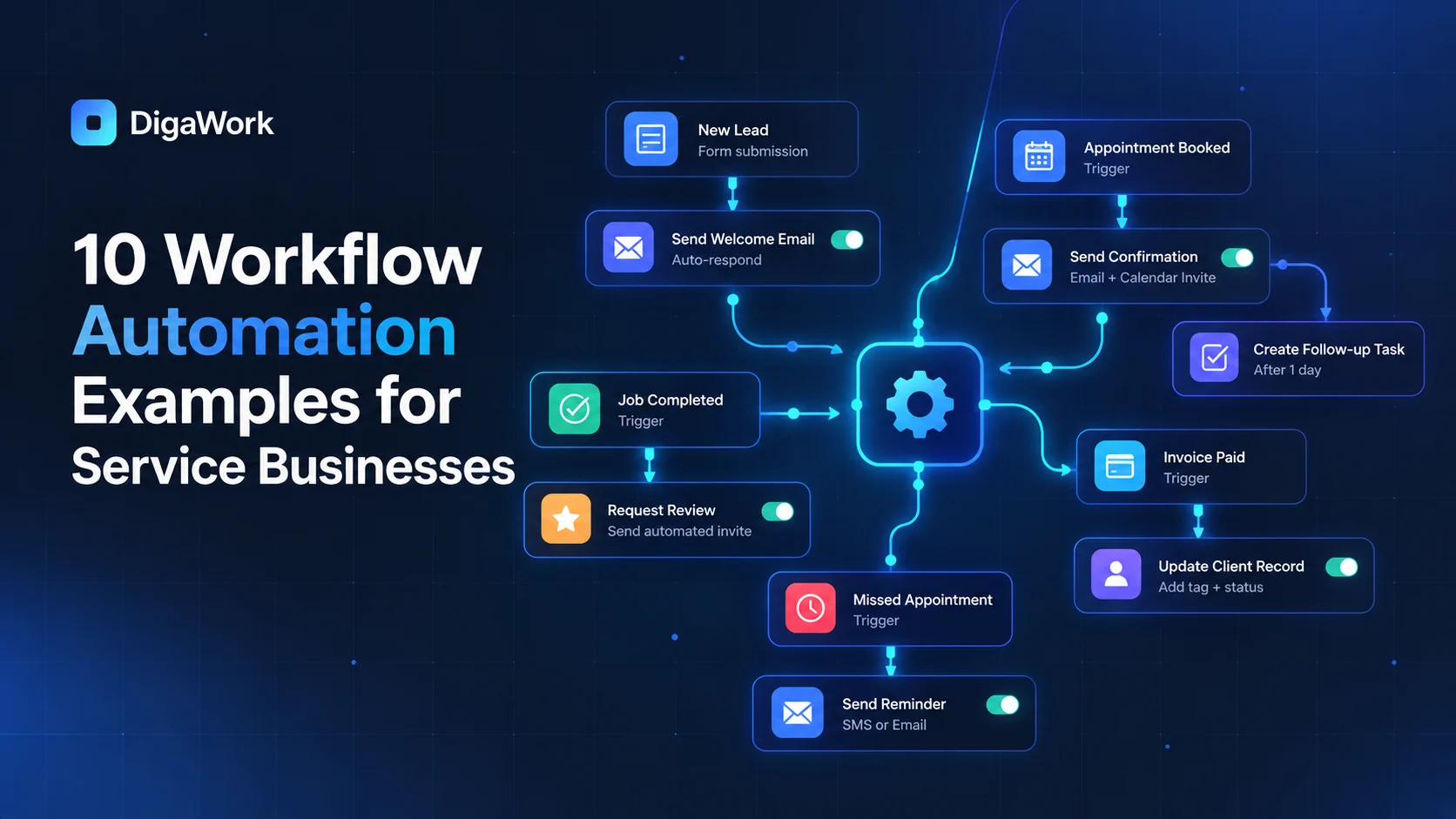
Workflow automation is most valuable when it removes repetitive coordination, not when it tries to remove every human decision.
For service businesses, the best candidates are usually small handoffs that happen frequently: assigning a lead, creating a task, requesting missing information, updating a customer, or moving work into the next stage.
1. Route new leads
Assign inquiries based on service type, location, availability, account owner, or another clear rule instead of waiting for someone to monitor a shared inbox.
2. Create follow-up tasks
When a lead reaches a certain stage, create the next action automatically so follow-up is visible rather than remembered.
3. Turn a won deal into operational work
Create the job, event, project, onboarding record, or checklist when the sales process is complete.
4. Request missing information
Detect incomplete records and generate reminders for documents, approvals, customer details, or internal review.
5. Confirm appointments or milestones
Send the right confirmation or internal notification when a date is booked or a milestone is reached.
6. Keep customers informed
Trigger an email, portal update, or task when the operational status changes.
7. Escalate aging work
Create a manager alert when a lead, approval, project, or customer request remains in one status longer than expected.
8. Notify finance when work is ready to bill
Move completed work into an invoice-ready queue while leaving the accounting system as the financial source of truth.
9. Schedule post-service follow-up
Create review requests, maintenance reminders, renewal tasks, or future opportunities after work is completed.
10. Build management summaries
Aggregate workflow data into dashboards or scheduled summaries instead of manually assembling updates every week.
What should not be automated?
Do not automate judgment simply because the system can. Pricing exceptions, sensitive customer communication, complex qualification, and unusual operational decisions may still require a person. Automation should reduce repetitive coordination while making human decisions easier and better informed.
Which repetitive handoff should your team stop doing manually?
See how DigaWork builds automation around real business workflows.