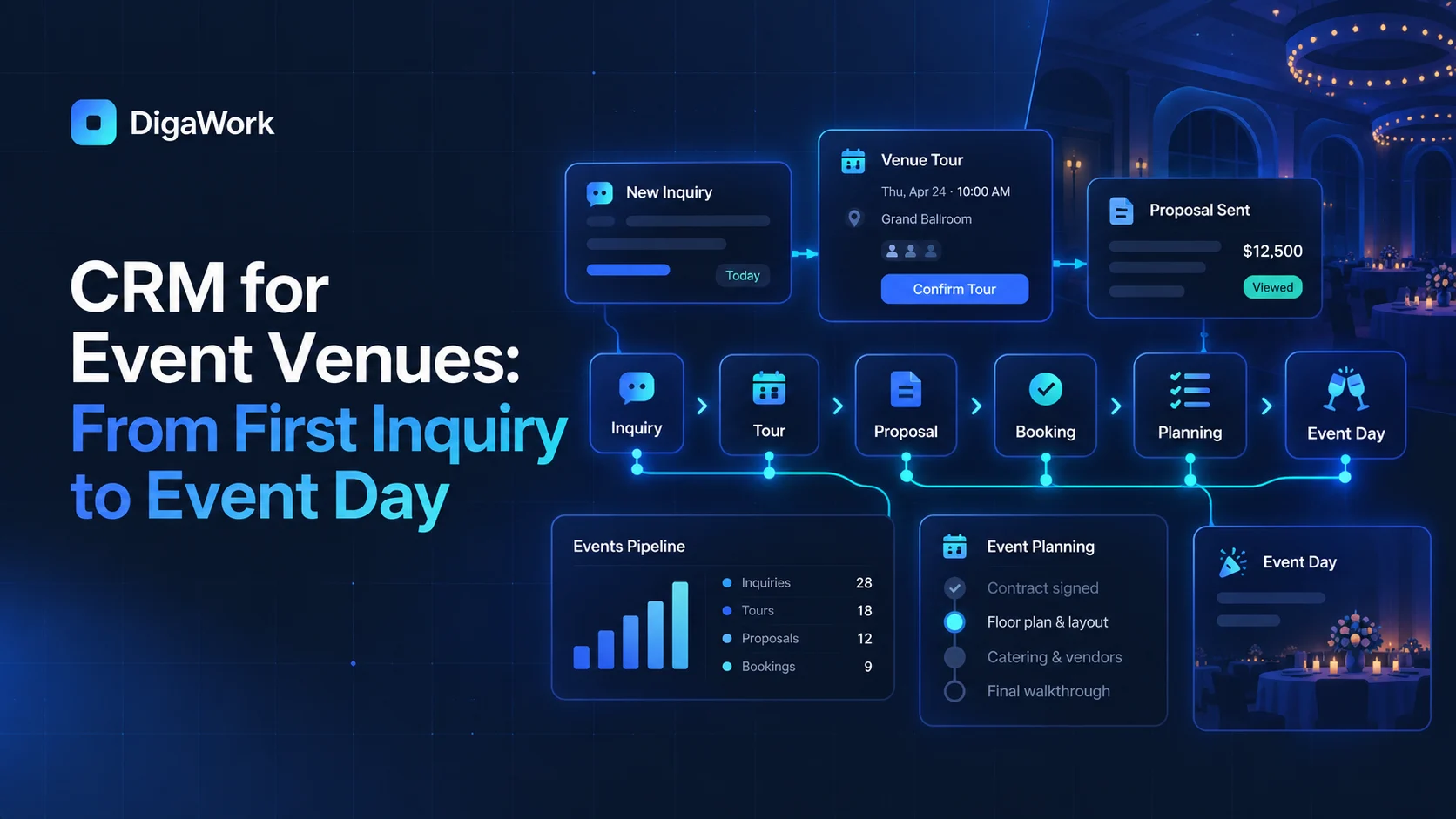
Event venues do not have a simple sales pipeline. The same record has to survive a long journey from first inquiry to tour, proposal, booking, planning, event execution, payment visibility, and follow-up.
That is why a venue CRM often needs to connect sales and operations rather than stopping when the contract is signed.
Start with the full event journey
A useful venue system should model the sequence the business already follows: inquiry, tour, proposal, booking, planning, event day, and follow-up. Each stage has different owners, information, deadlines, and customer communication.
Inquiry and lead management
Capture the event type, preferred date, guest count, source, contact information, and other qualification details without forcing the sales team to re-enter the same information later.
Tours, proposals, and booking
Appointments, notes, pricing context, proposal status, and booking decisions should stay connected to the same event opportunity so the relationship history remains visible.
The booking should create the planning workspace
Once the event is confirmed, the system can carry forward customer details, event basics, selected services, dates, contacts, and sales notes into the planning workflow instead of starting a second record from scratch.
Planning needs its own operational view
Planning teams may need timelines, documents, layout notes, vendor details, menu or service selections, tasks, approvals, internal notes, and customer-facing requests. Those details are operational, but they still belong to the same event journey.
Event-day information should be easy to scan
The system can surface the run of show, key contacts, assignments, notes, timing, and outstanding issues without making the event-day team search through sales records.
Finance visibility without rebuilding accounting
Deposits, invoices, payment status, or balances can be visible in the event workflow while the accounting or payment platform remains the financial source of truth where appropriate.
| Stage | Primary need | Example information |
|---|---|---|
| Inquiry | Qualification | Date, event type, guest count, source |
| Tour | Sales activity | Appointment, notes, follow-up |
| Proposal | Decision support | Package, pricing, options |
| Booking | Confirmation | Contract status, deposit, key details |
| Planning | Execution preparation | Tasks, files, vendors, selections |
| Event Day | Operational clarity | Timeline, assignments, contacts |
| Follow-Up | Relationship | Feedback, future events, reporting |
See what a connected venue workflow could look like.
Explore DigaWork’s conceptual event venue system from inquiry through event day.