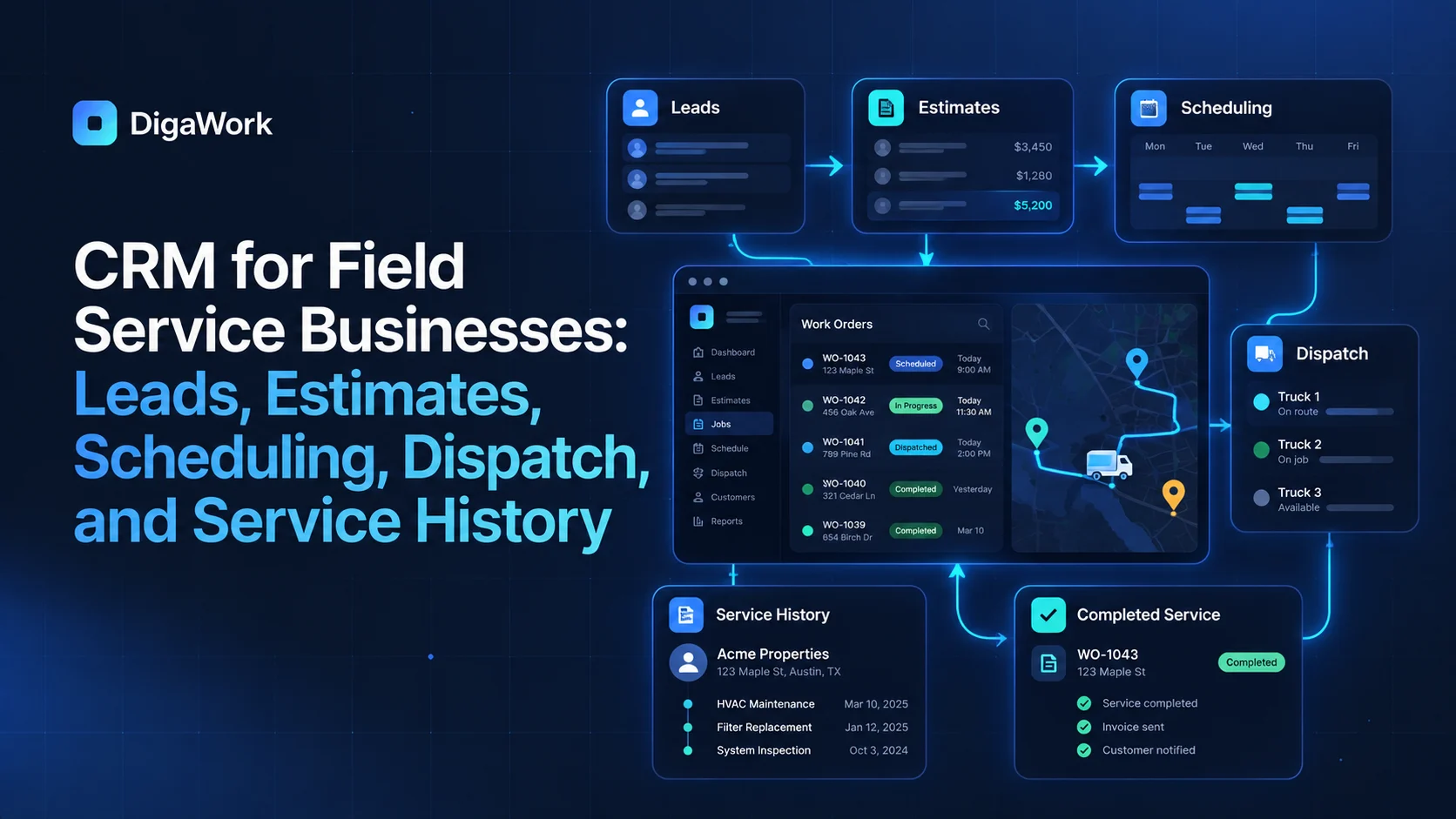
Field service businesses have to connect two worlds: the office and the field.
A lead may become an estimate, the estimate becomes scheduled work, a dispatcher assigns the job, a technician completes it, the customer receives updates, and the service history needs to remain available for the next visit. A CRM that only tracks the sales opportunity covers only the beginning of that journey.
Lead and customer records
Start with a shared customer record that can connect contacts, service locations, properties, assets, opportunities, estimates, jobs, appointments, and historical work where those relationships matter.
Estimate and approval workflow
An approved estimate should be able to move into scheduling without forcing the office to recreate the customer, scope, location, and notes in another system.
Scheduling and dispatch
The office needs visibility into available time, assignments, locations, priorities, and job status. The exact scheduling engine may remain in a specialized platform, but the workflow should not require the same details to be maintained in multiple places.
Technician mobile experience
Field users need a focused interface: customer details, location, scope, notes, required forms, photos, status updates, and next actions. They should not have to navigate an office-oriented CRM dashboard on a phone.
Office visibility into field updates
When a technician updates status, adds notes, or completes work, the office should be able to see that information quickly enough to answer customer questions and coordinate the next step.
Customer communication
Appointment confirmations, arrival updates, completion messages, and follow-up can be triggered from workflow events where appropriate. The system should reduce repetitive status calls without turning every customer interaction into an automated message.
Service history
A strong field service record becomes more valuable over time. Previous visits, assets, work performed, notes, recurring needs, and future reminders help the next technician and the office understand the full relationship.
| Workflow stage | Office view | Field view |
|---|---|---|
| Lead | Source, contact, qualification | Usually none |
| Estimate | Scope, pricing status, approval | Site context if needed |
| Schedule | Availability, assignment, route context | Assigned jobs |
| Job | Customer history, status | Scope, notes, forms, photos |
| Completion | Billing readiness, follow-up | Completion details |
| Service History | Full customer/account view | Relevant prior work |
Keep specialized systems when they are already strong
If a dispatch, accounting, payment, or mapping platform already works well, a custom system does not have to replace it. The better architecture may be to connect customer and operational records around the tools the team wants to keep.
See how a connected field-service workflow could work.
Explore DigaWork’s conceptual system for estimates, scheduling, dispatch, field work, and service history.