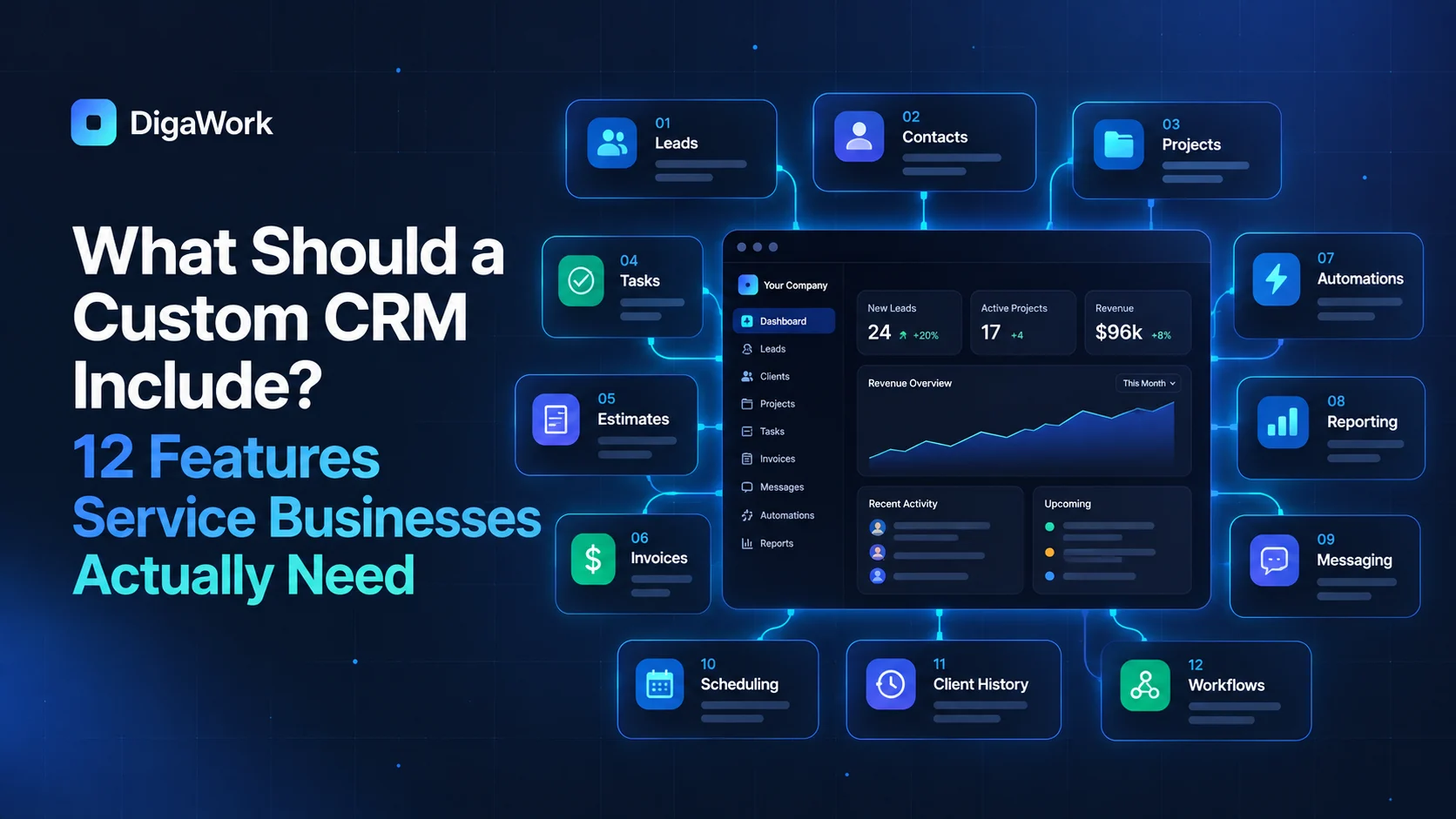
A custom CRM should not begin with a list of every feature a CRM could possibly have. It should begin with the smallest set of capabilities required to move a customer through your real workflow without losing context.
For service businesses, that usually means more than storing contacts. The CRM needs to make ownership, next steps, customer history, handoffs, and visibility easier.
1. Contact and company records
Store the customer information your team actually uses, including relationships between people, companies, locations, projects, or service accounts.
2. A pipeline that matches your sales process
Stages should represent meaningful decisions in the sales process rather than generic labels copied from another business.
3. Tasks and next actions
Every active opportunity should make the next step visible, assignable, and trackable.
4. Communication history
Emails, notes, calls, or messages should be easy to understand in context, even if some communication tools remain external.
5. Lead source and attribution
Capture where inquiries come from so you can compare lead quality, not just lead volume.
6. Role-based access
Different users may need different records, fields, actions, and management views.
7. Workflow automation
Use automation for repetitive coordination such as assignments, reminders, follow-ups, status changes, and handoffs.
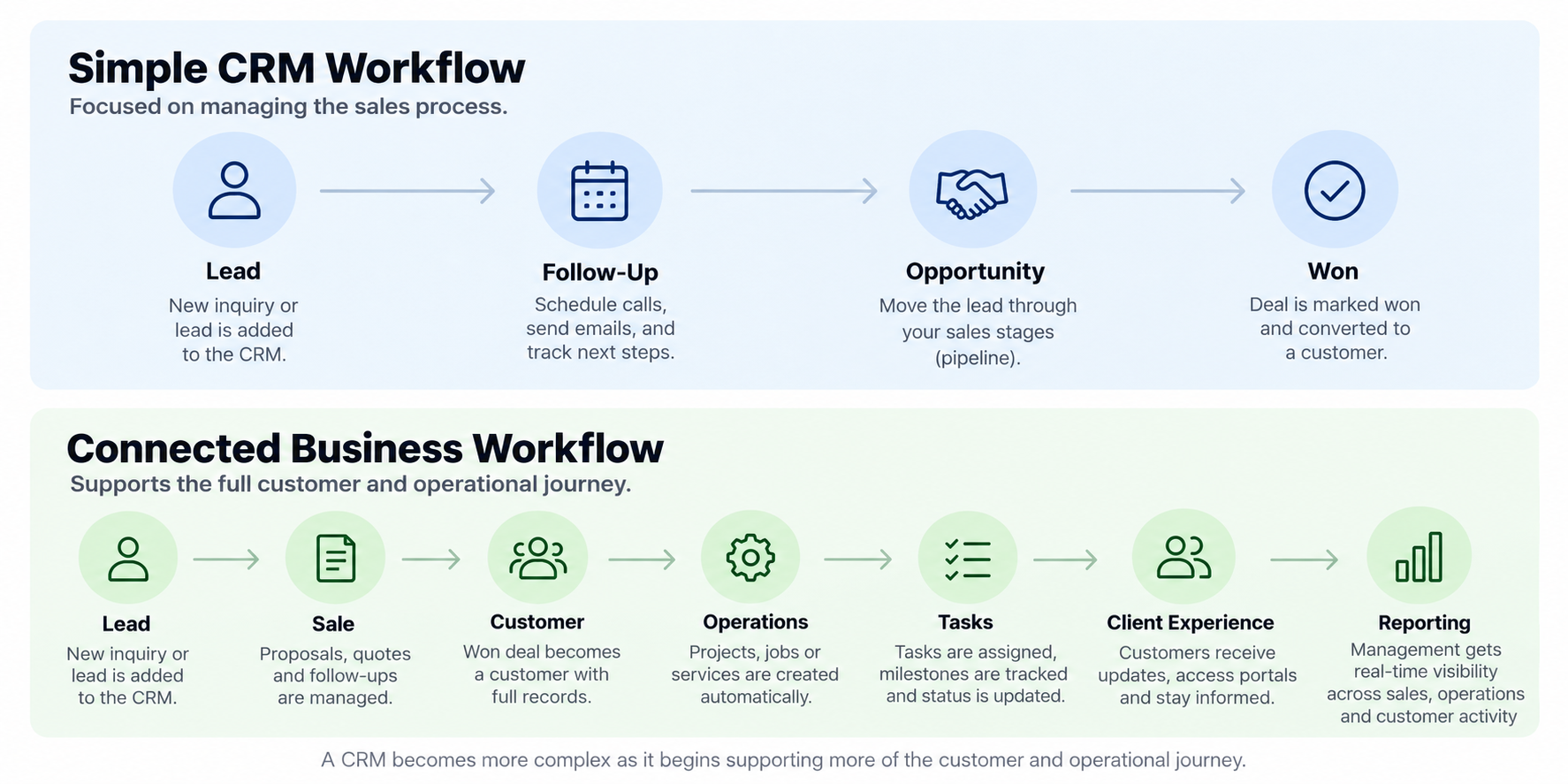
8. Sales-to-operations handoff
A won opportunity should become operational work without re-entering the same customer information.
9. Custom records beyond contacts and deals
Service businesses may need jobs, properties, events, projects, assets, service visits, or other records that standard CRMs do not model well.
10. Reporting and management visibility
Dashboards should answer practical questions about pipeline, workload, conversion, aging, activity, and operational status.
11. Integrations with tools worth keeping
Accounting, payments, calendars, email, or specialized platforms may stay in place and connect where APIs and permissions support it.
12. An architecture that can grow
The first version should solve today's highest-friction workflow without blocking future modules, users, or data relationships.
What should not automatically be inside the CRM?
Do not rebuild mature tools simply to say everything lives in one platform. Accounting, payment processing, email delivery, or specialized industry systems may be better left in place. The CRM can become the workflow layer that references or connects them instead.
Want to turn your workflow into a practical CRM scope?
See what DigaWork can build around your sales and customer workflow.