San Diego businesses operate in a region that combines a large service economy, a significant innovation sector, tourism and hospitality demand, a wide geographic footprint, and thousands of small firms trying to grow efficiently. San Diego Regional EDC's regional economy data reports a regional economy with more than 3.2 million people and roughly 1.6 million jobs, while San Diego Regional EDC's Inclusive Growth initiative notes that small businesses make up the overwhelming majority of firms in the region and employ a substantial share of San Diegans. That local context matters when evaluating crm for san diego event venues: the technology decision is rarely isolated from hiring costs, customer expectations, operational complexity, and the need to get more capacity from the team you already have.
For San Diego venues operating in a major visitor and events market where sales, planning, and event execution have to stay connected, the central question is not whether another software product exists. It is whether the current stack supports the way the business actually works. In many companies, the same event often moves through inquiry forms, sales notes, calendars, proposals, contracts, planning documents, payment systems, and event-day checklists without one durable record connecting the journey. That can be manageable at a small scale, but growth exposes the gaps. More customers create more handoffs, more exceptions, more records, and more opportunities for information to become inconsistent. A useful technology strategy should reduce that friction without forcing the company to rebuild mature tools that already perform well.
This guide takes a practical local approach. It focuses on workflow fit, system architecture, adoption, integrations, and measurable business outcomes rather than treating “San Diego” as a keyword to repeat. If you want the broader strategic context first, DigaWork’s guide to businesses outgrowing spreadsheets and shared inboxes explains how fragmented processes become difficult to manage as volume increases.
Why this matters for San Diego businesses
San Diego’s economy is diverse enough that there is no single “typical” local business workflow. A venue near the coast can have a completely different customer journey from a North County field-service company, a downtown consultancy, or a South Bay contractor. That is one reason local businesses should be cautious about buying software based only on industry labels. A platform may advertise itself as “for service businesses” while still forcing every company into the same assumptions about stages, roles, records, permissions, and reporting.
The local business environment also rewards operational efficiency. San Diego Regional EDC's regional economy data emphasizes the importance of small businesses to regional employment, and San Diego Regional EDC's 2026 talent-demand research shows that San Diego employers continue to compete for skilled talent. When labor is expensive and experienced employees are hard to replace, software that eliminates repetitive coordination can be valuable even when it does not directly generate revenue. Saving a manager five hours each week, reducing duplicate data entry, shortening onboarding time, or making customer status visible can create capacity without adding another administrative layer.
The goal is not “digital transformation” for its own sake. For businesses such as wedding venues, banquet facilities, private event spaces, and hospitality groups, the better objective is to identify where information stops flowing, where staff rely on memory, and where customers feel the consequences. That is the starting point for deciding whether to configure an existing platform, connect several tools, or build a custom layer around the workflow.
Map the workflow before evaluating software
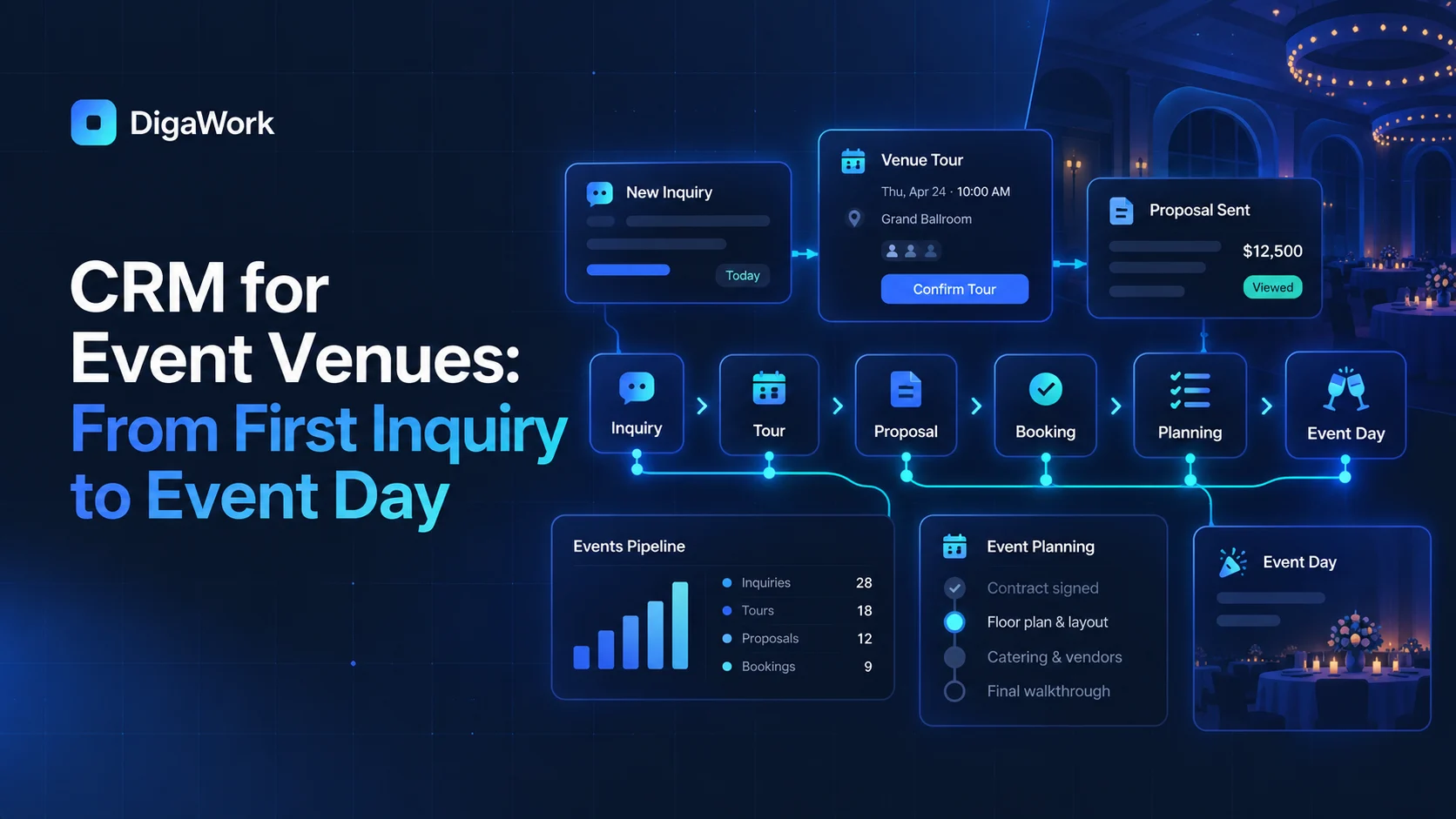
Before choosing a product or commissioning development, document the customer and operational journey in plain language. For this topic, a useful starting map is inquiry → tour → proposal → booking → planning → event day → follow-up. The map should identify who owns each stage, what information is created, which system currently stores it, what triggers the next action, and where a human decision is actually required. This simple exercise prevents a common mistake: buying software to solve a symptom without understanding the handoff that creates the symptom.
For example, a team may think it needs “better reporting” when the real problem is that sales and operations use different status definitions. Another company may think it needs “a better CRM” when the CRM works fine and the real gap begins after a deal is won. A third business may believe scheduling is the problem when the schedule is accurate but customer information has to be re-entered before every appointment. The workflow map separates system problems from process problems.
DigaWork’s article on connecting sales and operations is useful here because it treats the customer record as something that should survive the handoff between departments. The same principle applies across local service businesses: the customer should not become a new record every time responsibility changes.
Audit the current stack without assuming everything must be replaced
Create an inventory of the systems the business already uses. Include the CRM, spreadsheets, accounting platform, email, calendar, scheduling software, forms, document storage, messaging tools, project management software, payment tools, and any specialized industry applications. Then classify each tool by what it does well and where it creates friction. This is more useful than starting with a wish list for a new platform.
A practical framework is Keep, Connect, Automate, Replace, Build. Keep tools that are reliable and well adopted. Connect tools when the handoff is the problem. Automate predictable repetitive actions. Replace software that creates more friction than value. Build only the missing workflow layer that requires unique logic, data relationships, or user experience. DigaWork’s build vs. buy vs. integrate guide goes deeper into that decision.
This matters because custom software should not recreate accounting, payment processing, email delivery, or other mature infrastructure without a strong reason. A well-designed custom system may instead become the operational hub that knows which customer, project, event, property, or job is being discussed while allowing specialist platforms to remain the source of truth for the functions they handle best.
Define requirements around decisions, records, and handoffs
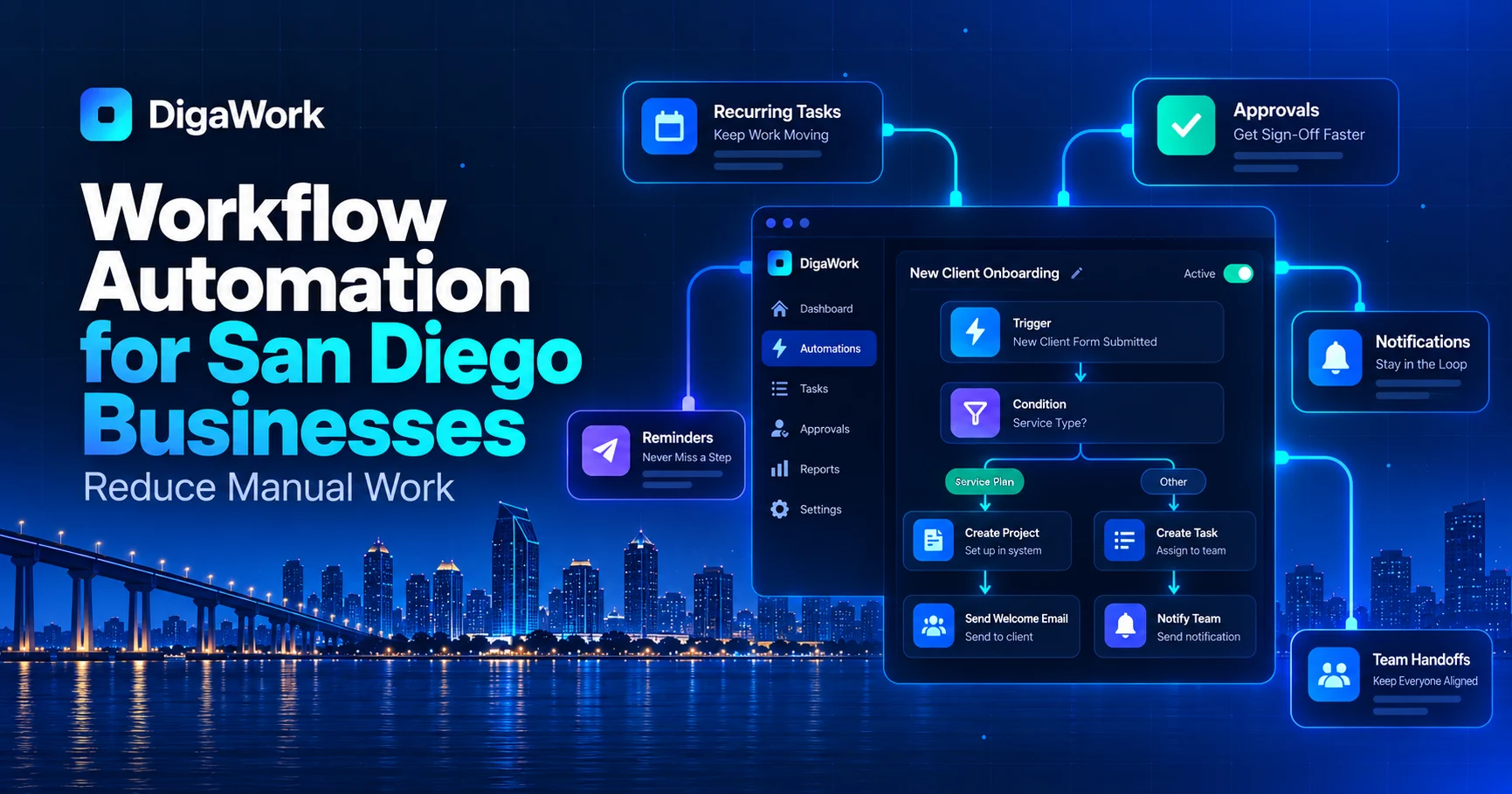
Once the workflow is visible, requirements become easier to write. Instead of “we need a dashboard,” ask what decision the dashboard needs to support. Instead of “we need automation,” define the trigger, rule, action, exception, and owner. Instead of “we need customer profiles,” define which people, companies, locations, projects, assets, events, jobs, or service records must relate to one another.
For San Diego venues operating in a major visitor and events market where sales, planning, and event execution have to stay connected, requirements often fall into a few recurring categories: shared customer records, ownership and assignment, role-based permissions, pipeline or status management, tasks and reminders, document context, integrations, customer communication, reporting, and downstream operational workflows. The exact mix depends on the business. A venue may need event records and tours. A contractor may need properties, estimates, jobs, and service history. A consultancy may need engagements, onboarding, deliverables, approvals, and recurring work.
If the topic involves CRM, DigaWork’s 12 practical CRM features guide is a useful reference because it distinguishes core workflow capabilities from features that simply look impressive in a demo. Requirements should be prioritized according to business impact and frequency, not novelty.
Build a connected architecture, not a giant monolith
A common fear about custom software is that everything has to live in one enormous application. It does not. In many cases the best architecture is modular: one system owns the customer and workflow context, while specialized services continue to manage accounting, payments, calendar availability, email delivery, or other functions. The custom layer coordinates the experience and gives each role the information it needs.
This architecture also makes change easier. A company can launch with a focused workflow, prove that people use it, and then add modules. That is usually safer than attempting to replace every application at once. The first release might solve lead intake and handoff. A second phase might add client access. A third might add operational reporting or a new integration. Each phase should leave the underlying data model cleaner rather than creating another isolated tool.
San Diego’s technology ecosystem is substantial; San Diego Regional EDC's software industry profile describes thousands of technology companies and a large software workforce across the region. That does not mean every local business needs to build software internally. It does mean businesses have access to a mature technology market and should expect modern systems to integrate thoughtfully with the tools they already rely on.
Treat integrations as product decisions, not checkboxes
An integration is only useful if everyone agrees on what data moves, which direction it moves, how often it updates, and which system wins when values conflict. “Integrates with QuickBooks” or “connects to Google Calendar” is not enough detail. The implementation needs to define whether the connection is one-way or two-way, event-driven or scheduled, and whether the external platform’s API supports the required actions.
Before committing to an integration, verify API access, account-plan requirements, authentication method, rate limits, field availability, and vendor restrictions. Sometimes a direct API is appropriate. Sometimes a webhook is enough. Sometimes the best solution is a scheduled import or a simple reference link rather than a complex synchronization layer. The least complicated reliable method is usually preferable.
This is especially important for small businesses because brittle integrations can become hidden maintenance costs. The San Diego & Imperial SBDC lists technology commercialization, accounting, digital marketing, financial reporting, and other operational support among its services; the San Diego & Imperial SBDC service directory is a reminder that software decisions sit alongside broader business systems and should support the company’s operating model rather than become an isolated technical project.
Design for the people who will actually use the system
Good software can still fail if the team sees it as additional work. Adoption improves when each role has a focused view, required fields are limited to information that matters, repetitive entry is reduced, and the system makes the next action obvious. Managers should not need employees to maintain data solely for reporting; wherever possible, reporting should emerge naturally from work the team already has to perform.
Role-based design is particularly important in service businesses. Sales may need leads, opportunities, and follow-up. Operations may need active work, dates, assignments, and exceptions. Finance may need billing readiness and payment visibility. Management may need cross-workflow metrics. Clients may need a controlled portal. Those users can share one connected data model without seeing the same interface.
Training should focus on real scenarios rather than feature tours. Ask users to create a lead, win an opportunity, hand it off, find the customer’s history, resolve an exception, and answer a common customer question. If the system makes those tasks easier, adoption becomes a business benefit rather than a compliance exercise.
Use San Diego’s business resources alongside the technology project
Software is only one part of business growth. San Diego companies also have access to local organizations that support planning, financing, operations, marketing, hiring, and expansion. the City of San Diego's business resource directory collects resources from the City, County, chambers, economic development groups, and other organizations. the U.S. Small Business Administration's San Diego District resources connects local businesses to SBA programs and partner resources, while the San Diego & Imperial SBDC service directory offers advising across areas such as finance, marketing, e-commerce, cybersecurity, customer service, and growth strategy.
Those resources can complement a software project. If the company is changing sales operations, review the sales process at the same time. If a portal is being introduced, document service expectations and ownership. If automation changes responsibilities, update training and internal procedures. If the system will support expansion, verify that the data structure and permissions can handle additional locations or teams.
The technology should reinforce the business plan rather than become a parallel initiative. Local support organizations can help owners think through the financial, regulatory, staffing, and go-to-market questions that sit around the software itself.
Decide how you will measure whether the project worked
A successful project should change measurable behavior. Possible metrics include lead-response time, percentage of records with a clear next action, time from sale to operational handoff, number of duplicate entries, customer-status inquiries, aging tasks, estimate turnaround, time spent assembling reports, or the number of systems an employee must open to complete a common workflow.
Choose a small baseline before implementation. If the team currently spends six hours each week reconciling spreadsheets, measure it. If customers frequently ask for status, count those requests for a month. If the same data is entered three times, document where. That baseline turns the software conversation from “do we like the new system?” into “did the system remove the friction we designed it to remove?”
For San Diego businesses facing hiring and cost pressures, that operational capacity can matter. San Diego Regional EDC's 2026 mid-year economic update discusses the region’s changing employment environment and the need for adaptation. Software cannot solve macroeconomic challenges, but it can help an individual company use its people, data, and customer relationships more efficiently.
Scope the first version around value, not maximum feature count
The cost of custom software depends on the number of workflows, roles, records, integrations, migration requirements, automation rules, reporting needs, and client-facing experiences included in the project. A focused first version can be far smaller than a system that attempts to replace every current application. That is why pricing should follow workflow definition rather than a generic feature package.
When comparing cost, include the current-state expense too: SaaS subscriptions, duplicate administration, missed follow-up, manual reporting, rework, onboarding time, and the opportunity cost of staff spending hours coordinating systems. That does not mean every inefficiency justifies custom development. It means the decision should compare total operating impact rather than only the software invoice.
DigaWork publishes starting points on its pricing page, and the broader custom CRM cost guide explains the factors that change implementation cost. A good discovery process should identify a first version that solves a meaningful workflow without committing the business to functionality it does not yet need.
A San Diego example: what a practical first version can look like
Consider a growing local company in wedding venues. The business receives inquiries through its website and referrals. A salesperson qualifies the opportunity, but once the customer agrees to move forward, the team creates a second record in a spreadsheet, a third entry in a scheduling system, and a folder for documents. Staff send internal emails to explain special requirements, and management builds a weekly report manually because no single application reflects the full workflow.
A practical first version would not automatically replace every system. It might centralize the customer and work record, create the operational record when the sale is confirmed, assign ownership, generate required tasks, and surface relevant information from existing tools. The result is fewer handoffs to remember and a clearer history. A later phase could add a portal, automation, more reporting, or additional integrations after the team has proven the core workflow.
That phased approach is often better for local small and mid-sized businesses because it limits disruption. The company can improve one high-value process, train the team, learn from real usage, and then decide what deserves to be built next.
Why local context should improve the article, not become keyword stuffing
A page does not become useful local content simply because “San Diego” appears in every heading. Strong local SEO content should answer a real business question, demonstrate understanding of the market, cite relevant regional resources, and connect the reader to a service that genuinely fits the intent. That is the approach used in this guide.
For DigaWork, being based in San Diego creates a natural reason to write about the workflows of local service businesses, but the advice still needs to stand on its own. The article should help someone make a better technology decision even if they never become a client. That is also why this guide links to independent sources such as the San Diego Tourism Authority's visitor-industry data, rather than relying only on DigaWork’s own claims.
Internally, the article should also help search engines and readers understand the relationship between topics. Relevant supporting resources include DigaWork’s guide to custom CRM vs. off-the-shelf CRM, the workflow automation examples, and the service page for Events & Venues. Those links are useful because they move from a local business question into deeper explanations of the underlying solution.
Implementation checklist
Use this checklist before committing to a new system:
1. Write the current workflow from first customer interaction through completion and follow-up.
2. Identify every system, spreadsheet, inbox, and manual handoff used in that workflow.
3. Mark which system is the source of truth for each important field.
4. List the five most common delays, duplicate-entry points, or status questions.
5. Separate requirements into must-have, should-have, and later.
6. Decide which existing tools are worth keeping.
7. Verify integration feasibility before promising automated synchronization.
8. Define user roles and what each role needs to see or change.
9. Choose measurable outcomes for the first release.
10. Plan data cleanup before migration.
11. Test real scenarios with the people who will use the system.
12. Launch the smallest version that solves a meaningful operational problem.
13. Review usage after launch and add functionality based on observed needs rather than assumptions.
This sequence keeps the project grounded in operations. It also makes vendor conversations more productive because the business can explain what must happen rather than simply asking for a list of features.
The bottom line
For San Diego venues operating in a major visitor and events market where sales, planning, and event execution have to stay connected, the strongest software strategy is usually the one that makes the business easier to operate without creating unnecessary technology. Start with the workflow, preserve the tools that are working, connect systems where practical, automate predictable coordination, and build custom functionality only where it creates a clear advantage.
San Diego has a large, varied business community and a strong network of economic-development and small-business resources. the City of San Diego's Economic Development business programs and the San Diego & Imperial SBDC service directory are useful starting points for broader business support, while DigaWork focuses specifically on the software and workflow layer.
If your current systems are creating duplicate entry, unclear ownership, manual handoffs, or limited visibility, explore Events & Venues or start a project. The goal of the first conversation should not be to sell the largest possible system. It should be to determine whether the workflow problem is significant enough to justify changing the software at all.